




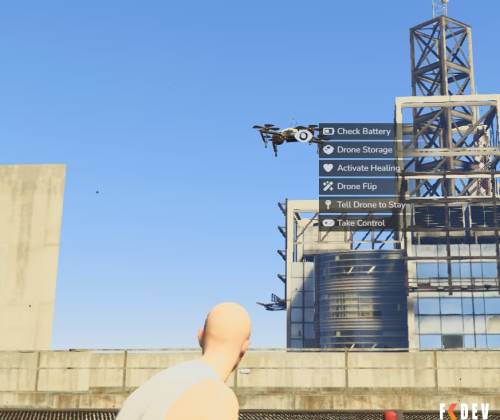
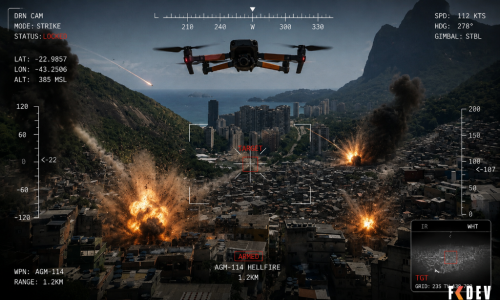
Advanced Drone System for FiveM / Multiple Features & Commands
A deployable drone resource for FiveM. Supports Qbox, QBCore (should do) and ESX (running ox/ox_inventory etc) frameworks. Players can deploy a personal drone that follows them, provides features like healing, guard mode and can be flown manually in FPV mode.
NOTE: THIS WILL NOT RUN ON A DEFAULT ESX SERVER - You must have ESX running off ox_inventory and the other ox resources that needs that, more info here: https://coxdocs.dev/ox_inventory/Frameworks/esx
Features
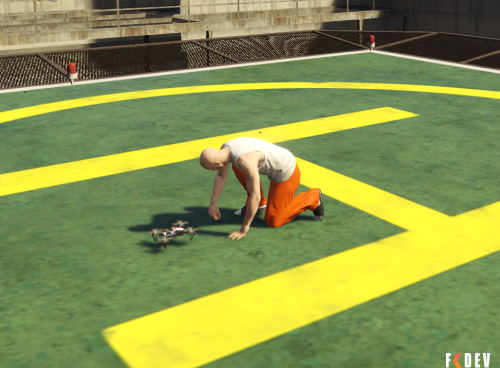
- Deploy & Recall — Pull out your drone with a kneel animation. The drone spawns on the ground in front of you and lifts off to your shoulder. Pack it away the same way.
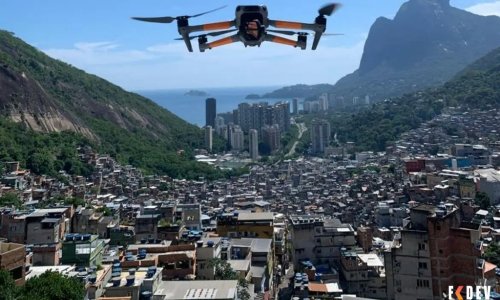
- Shoulder Follow — When deployed, the drone hovers at your left shoulder and follows you smoothly with a natural bob and heading delay.
- FPV Control — Take manual control of the drone in first-person view. Fly freely up to a configurable range before signal is lost.
- Healing Mode — Activate healing to have the drone restore health to all players within a configurable radius. Shows a pulsing green AOE marker.
- Drone Storage — Each drone has its own persistent stash inventory. Store items, batteries and equipment. Drone items cannot be placed inside the stash.
- Battery System — The drone requires a drone_battery in its stash to operate. Battery drains over time. When depleted the drone lands and powers down until a new battery is inserted.
- Damage System — The drone can be shot down. Health degrades with hits and is displayed on each strike. Configurable max health.
- Destruction & Recovery — When destroyed the drone swaps to a wrecked model and falls to the ground. Storage remains accessible for a configurable time before being cleared.
- Battery Removal — Removing the battery mid-flight causes the drone to drop and power down. Reinserting a battery brings it back to life automatically.
- Unique Serial Numbers — Each drone is assigned a unique serial DRN-XXXXXX on first use, stored in item metadata. Visible in your inventory.
- Collision Detection — FPV control includes raycast-based collision detection to prevent flying through walls and terrain.
- Spotlight — A toggleable front-mounted spotlight, controllable from the target menu or via L in FPV mode. Angle, colour, brightness, distance and cone width are all configurable.
- Native GTA Audio — Uses GTA's built-in DLC_BTL_Drone_Sounds audio bank. No external sound files required.
- Fully Configurable — All behaviour, offsets, speeds, battery drain, healing settings, spotlight settings, Job restrictions and more are in a single config.lua.
Dependencies
- ox_inventory | Inventory (2.45.0+)
- ox_lib | UI notifications and animations
- ox_target | Drone interaction targeting — must be the communityox fork
- oxmysql | Database (used by ox_inventory)
#ESX #QBCORE
1. Add the resource
Drop the nzkfc_drone folder into your resources directory and add the following to your server.cfg:
ensure drone
2. Add items to ox_inventory
Open ox_inventory/data/items.lua and add the following entries:
-- nzkfc_drone
['drone'] = {
		label = 'Drone',
		weight = 800,
		stack = false,   -- each drone has its own serial/metadata
		close = true,
		client = {
			event = 'nzkfc_drone:useItem',
		},
	},

	['drone_battery'] = {
		label = 'Drone Battery',
		weight = 200,
		stack = false,   -- each battery tracks charge in metadata
		close = true,
	},

	['drone_battery_empty'] = {
		label = 'Drone Battery (Empty)',
		weight = 200,
		stack = true,
		close = true,
	},
3. Add item images to ox_inventory
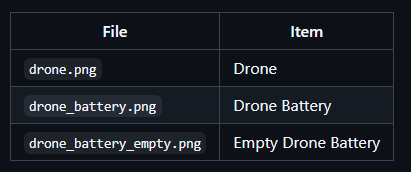
Place your item images in the ox_inventory/web/images/ folder. Images must be .png format and named exactly after the item:
4. Give yourself a drone (testing)
Using an admin command:
/giveitem [playerid] drone 1